
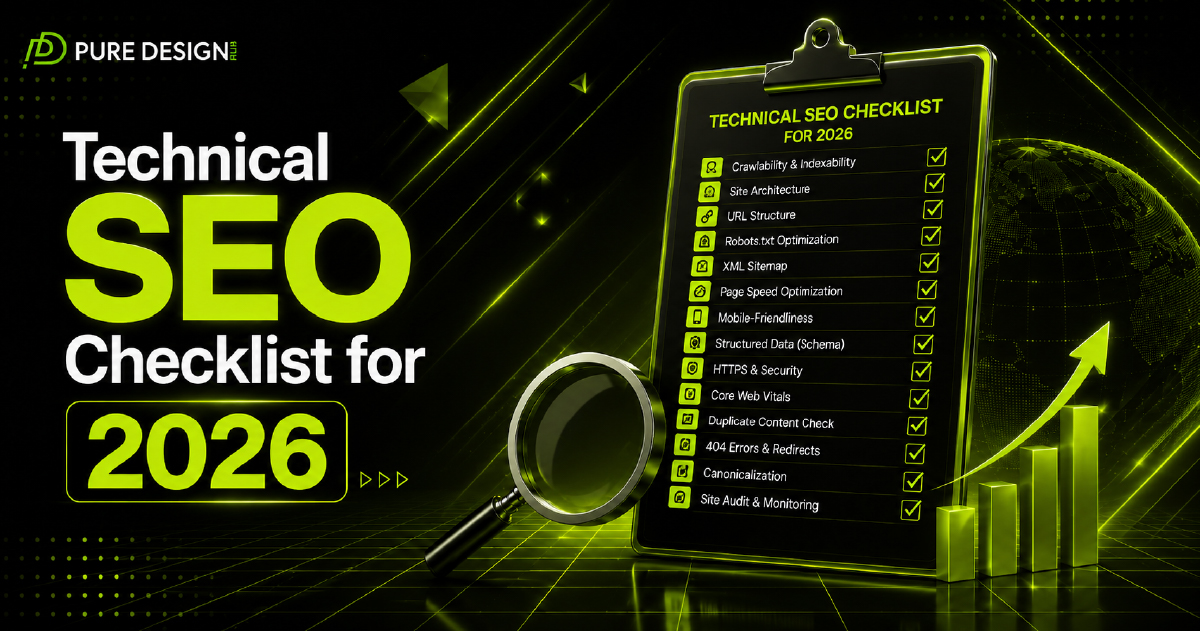



A visually attractive website cannot generate consistent organic traffic when search engines struggle to crawl, understand, or index its pages. Technical SEO addresses these behind-the-scenes issues so Google can access your content efficiently and visitors can enjoy a faster, safer, and more reliable experience.
This technical SEO checklist for 2026 covers 30 practical steps that US businesses can use to identify website problems, improve performance, and build a stronger foundation for sustainable search visibility.
What Is Technical SEO?
Technical SEO is the process of improving a website’s infrastructure so search engines can crawl, render, understand, and index its content correctly. It includes website speed, mobile usability, crawlability, indexing, HTTPS security, structured data, redirects, canonical tags, and internal architecture.
Google’s documentation confirms that crawling and indexing controls how its systems find and process website content for Search.
Technical optimization does not replace quality content or backlinks. Instead, it ensures that your other SEO efforts are not weakened by hidden website errors.
Technical SEO vs. On-Page SEO vs. Off-Page SEO
| SEO Type | Main Focus | Common Activities | Primary Goal |
| Technical SEO | Website infrastructure | Speed, crawling, indexing, sitemaps, schema and security | Help search engines access and understand the website |
| On-page SEO | Individual webpages | Keywords, headings, titles, content and internal links | Improve page relevance and search intent coverage |
| Off-page SEO | External authority | Backlinks, digital PR, citations and brand mentions | Build trust, authority and website reputation |
All three areas work together. A page may contain excellent content and quality backlinks, but technical problems can prevent it from reaching its full ranking potential.
Crawling and Indexing Checklist
1. Set Up Google Search Console
Connect your website to Google Search Console to monitor organic performance, indexing problems, crawl errors, Core Web Vitals, manual actions, and security issues.
2. Check Important Pages for Indexing
Use the URL Inspection tool to confirm that your homepage, service pages, location pages, and important blog posts are indexed.
3. Create an XML Sitemap
Generate an XML sitemap containing only valuable, indexable URLs. Submit it through Google Search Console so Google can discover new and updated pages more efficiently.
4. Review Your Robots.txt File
Check that robots.txt is not accidentally blocking important CSS files, JavaScript resources, service pages, or blog content. Robots.txt manages crawler access but should not be used as the primary method for removing pages from Google.
5. Remove Accidental Noindex Tags
Inspect important pages for noindex directives that may prevent them from appearing in search results.
Website Architecture Checklist
6. Use a Simple Website Structure
Visitors and search engines should be able to reach important pages within a few clicks from the homepage.
7. Create Clear, Descriptive URLs
Use short URLs that explain the page topic, such as /technical-seo-services/, instead of URLs containing random numbers or unnecessary parameters.
8. Fix Orphan Pages
Every valuable page should have at least one relevant internal link pointing to it. Orphan pages are difficult for users and search engines to discover.
9. Add Breadcrumb Navigation
Breadcrumbs show where a page sits within your website structure and help visitors move between related categories.
10. Strengthen Internal Linking
Link related service pages and blog posts using descriptive anchor text. For example, this article can link to Pure Design Hub’s SEO services, web development services, and SEO pricing guide.
Website Speed and Core Web Vitals
11. Improve Largest Contentful Paint
Optimize large images, hosting performance, server response time, and above-the-fold content. Google recommends an LCP of 2.5 seconds or less for a good user experience.
12. Reduce Interaction to Next Paint
Remove unnecessary scripts and reduce heavy JavaScript to improve responsiveness. Google recommends keeping INP below 200 milliseconds.
13. Prevent Layout Shifts
Set fixed dimensions for images, videos, advertisements, and embedded content so page elements do not unexpectedly move while loading.
14. Compress Website Images
Convert large images to WebP or AVIF where appropriate, resize them before uploading, and avoid using oversized files.
15. Enable Browser Caching
Caching allows returning visitors to load stored website resources instead of downloading every file again.
Core Web Vitals measure real-world loading performance, responsiveness, and visual stability. Google recommends achieving good results, although strong scores alone do not guarantee high rankings.
Mobile and Security Checklist
16. Use Responsive Design
Make sure your website automatically adapts to smartphones, tablets, laptops, and desktop screens.
17. Match Mobile and Desktop Content
Do not hide important text, links, images, or structured data from the mobile version of your website.
18. Improve Mobile Navigation
Buttons should be easy to tap, menus should open correctly, and text should remain readable without zooming.
19. Install a Valid SSL Certificate
Every page should load over HTTPS to protect information transferred between the website and its visitors.
20. Fix Mixed-Content Warnings
Replace internal HTTP resources with secure HTTPS versions, including images, scripts, stylesheets, and embedded files.
Duplicate Content and Redirect Checklist
21. Add Canonical Tags
Use canonical tags to identify the preferred version of duplicate or highly similar pages. Google may also select its own representative URL when duplicate versions exist.
22. Choose One Domain Version
Redirect all variations to one preferred version, such as HTTPS with either WWW or non-WWW.
23. Fix Broken Links
Regularly identify and replace internal links that send users to deleted pages or 404 errors.
24. Use 301 Redirects Correctly
When permanently replacing or moving a page, redirect the old URL to the most relevant new destination.
25. Remove Redirect Chains
Avoid sending visitors through multiple redirects because chains can slow loading and make website maintenance more difficult.
Structured Data and Content Signals
26. Add Relevant Schema Markup
Use accurate Organization, LocalBusiness, Service, Breadcrumb, and Article structured data where relevant.
27. Validate Structured Data
Test your markup with Google’s Rich Results Test and fix invalid properties or warnings that affect eligibility.
Structured data provides explicit information about a page and can make eligible content appear in enhanced search features. However, adding it does not guarantee a rich result.
28. Optimize Image Alt Text
Write concise alt text that explains the image naturally. Avoid inserting keywords into every image description.
29. Check JavaScript Rendering
Ensure that important text, navigation, headings, and internal links remain accessible when search engines render the page.
30. Run Regular Technical SEO Audits
Audit the website after redesigns, CMS updates, migrations, plugin changes, or major content launches. Continue monitoring Search Console instead of treating technical SEO as a one-time project.
Frequently Asked Questions
The most important factors include crawlability, indexability, website speed, mobile usability, HTTPS security, logical architecture, canonical tags, redirects, internal links, and structured data.
Begin with Google Search Console and PageSpeed Insights. You can also use a website crawler to identify broken links, redirect chains, duplicate titles, missing canonicals, blocked resources, and indexing directives.
Technical SEO can support better rankings by helping search engines access and understand your pages while improving user experience. However, rankings also depend on content quality, relevance, competition, authority, and backlinks.
Review high-priority issues monthly and complete a more detailed audit every three to six months. Run an additional audit after a website migration, redesign, domain change, or major CMS update.
A sitemap helps search engines discover important URLs. A robots.txt file controls which URLs crawlers can request. Neither file guarantees that a particular page will rank or remain excluded from search results.
A small business can complete basic checks through Search Console, a sitemap plugin, and PageSpeed Insights. Complex issues involving server configuration, JavaScript rendering, migrations, indexing, or large-scale duplication may require professional support.
Build a Stronger SEO Foundation in 2026
Technical SEO gives your content and marketing campaigns a stable foundation. Start by fixing indexing errors, broken links, mobile problems, security warnings, and slow pages before moving to advanced improvements.
Pure Design Hub helps US businesses identify technical barriers that may be limiting organic visibility. A professional technical SEO audit can uncover crawl errors, performance problems, duplicate pages, broken redirects, and structured data issues before they damage long-term growth.
3 Responses